Sunday, May 29, 2016

Download Web Files Much Faster By Using Wifi And Mobile Data At The Same Time!


   Have you ever wonder if you can use Wifi and mobile data at same time to boost your internet speed ?.  Probably Yes. we always need more and more and the bandwidth to speed up our downloads. As you know, generally it’s not possible because as soon as you turn on your WiFi connection, your mobile data got disabled. Now you can, here we have simple tips for that will play the trick trick
This trick work for rooted phone
                            
Super download  is the only advanced download manager tool that can download using wifi and mobile data connection simultaneously*!
It's also an easy downloader that can download all files, not just the default file types.
    Download Super download from : Google Play
                                                          Apk file


How to Download
 Just click on a link or open a remote file: if the file type is recognised by Super Download, it will start getting it.
If this method doesn't work, try click-and-hold on the link, select "share with" and choose SuperDownload .
 Finally, you can copy and paste URL In “Add URL” Dialog  and you can can set to speed up your download.
And Enjoy the High Speed Internet Download in Android.
     Please feel free to comment for more tips and questions......


Thursday, March 3, 2016

Read Microsoft Document Online, Don't Download It !!!


Hey guys ..

      Today i going to show you how to little usefull plugin to read Microsoft Office documents  online without download it, if you are documet finder these will be very helpfull tutorial ,  sometimes you have to downloadthe  powerpoint (ppt) document in order to acess and read the content present ,you don't have option for online reading unless you use special program.
     
      It's really annoying when you find out that the document you download, already have it or is not of your interest the content you expect  is different from the tittle.  Lucky !!  there is a simple solution for your problem . Now  don't wastetime to download  unwanted document , you can view document  online and if you find it is of your interest  then you can download it
     
          View in Office Online Viewer is a  plugin which can help you to read Microsoft Office documents  online without download it .
         
           HOW TO USE IT

    step 1: Open the link below, available for crome and firefox

    step 2: Click Add to crome , Add  to firefox

    step 3: after add the plugin in your browser , Right click the document you want to view then select open with office online.

              thats it .... enjoy .....hope it's helpfull

                            Download for MOZILLA FIREFOX

                            Download for CROME

Thursday, November 26, 2015

How To Run Windows Apps On Android? Easy Way


Have you ever wondered what it would be like to run Windows apps on Android?  So you have this fantastic window app or game, you want to have it in your android device but you can't because android doesn't support window app since they are different platforms and you wish there is an android version of that app so you can carry that exe file in your pocket and enjoy it in android. 

Most of people know how to run android app in window but few of them know how to run window on android . Well, soon you will be able to find the easiest way to run Microsoft Windows productivity apps and games on android , thanks to cross over and wine, the same company help people to run window app in Linux 

 
The CrossOver and Wine have been popular for allowing users to get Windows apps to run to other platforms like Linux, and now they're figure out how to do that on android. The team has announced that the platform will be available before the end of 2015.

 CrossOver and Wine won't work for android systems, with ARM processors that’s because all the Windows binaries out there in the wild are x86 or x64 applications may be later days. But if you’ve got hardware with x86 processors for AMD and Intel chip processor, you are lucky to run Windows apps on android. You must have known that most classic Windows apps were designed for machines with a keyboard and mouse, not a touchscreen, so that you may need to use external hardware to really get the most out of those apps and games. 

If you are interested, you can sign up for CrossOver for Android Technology Preview and to be notified when it’s released.

Wednesday, November 25, 2015

Listening To Youtube Audio In The Background Whenever Screen Is On Or Off


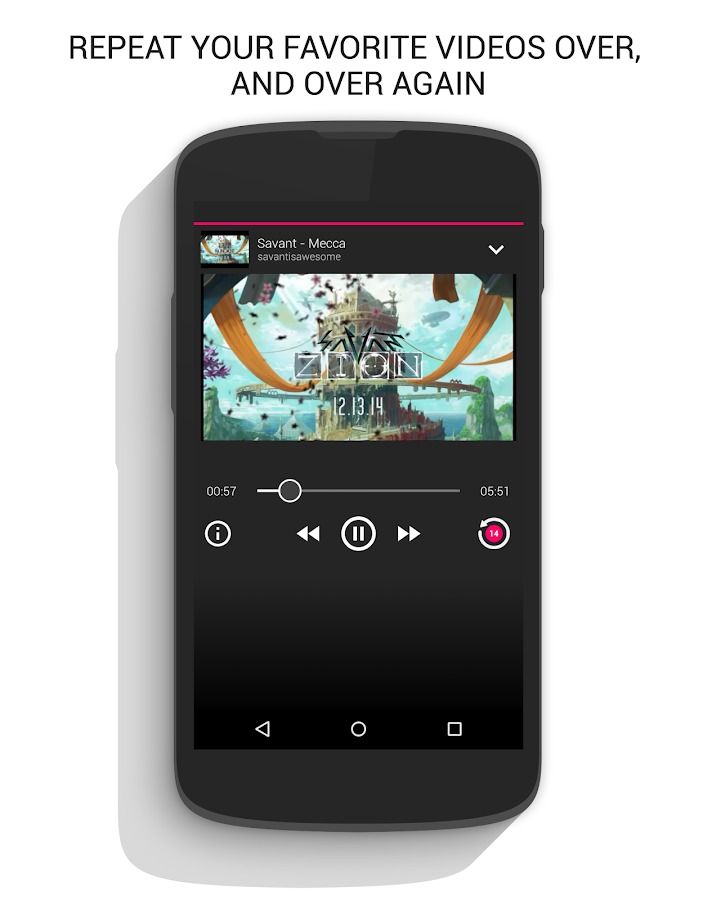
    Will all watch YouTube we know how YouTube is full of useful videos sometime you may want just to listen the audio of that video while you are doing something else maybe you chatting , but YouTube is automatically pauses your video until you open it again, this situation is really annoying, but thanks to listen on repeat app which will allow you watch your favorite YouTube videos and audio that is running directly on your device in the background at any time screen is on or off


  Listen on repeat is free and easy to use app and it will not interfere with other app when playing YouTube videos in the background Listen to songs on repeat, or just put your favorite YouTube video in an endless loop. If you are already listening to a video you can queue up another one by sharing it to the app again. Not only this, but you can move back and forth between audios.

click here to download apk ,download  from playstore 

 Now, you will be able to listen to the audio of that YouTube video you selected earlier and using other programs simultaneously in the background, this app still in development stage. If it's not working for you please be patient and hope they will be fix in next update

If you like this little tip? Please Share with your friends

Friday, November 20, 2015

How To Get Facebook New Look Right Now


     If you are still having slowness problems on Facebook, or unresponsive, like many others and your internet connection is good and all other pages work splendid! This is because of complex graphic content of Facebook

       There are actually a lot of things - a calendar of events, pictures, games, etc. - is important. But on the other hand, a lot of it is not necessary. But how do you adjust the interface to meet the audience's most diverse network users?


 Change your Old Facebook to new look which is faster and nicer than before get this new look into your Facebook account using this chrome extension known as Facebook Flat

    Facebook flat make Facebook much lighter and nicer than before. Believe me this one is amazing; this extension removes all type of Facebook ads (similar to Ad block) from your timeline and gives you clear flat design.

     Facebook Flat, allows users to interpret the data and find what they need quicker, it come with lots of new features like who viewed my profile. You will be able to know who visited your profile


   Besides that, flat design is very responsive, friendly and easy to use; Flat gives an edge in performance. Its simple graphics make loading time a faster, especially compared to its more visually complex competition. Another advantage of flat design, its ease in adjusting for different screen sizes, to make the design style incredibly responsive-friendly


Many designers and users appreciate the beauty of simplicity. Even research shows that beautiful design works better.

 you'll need crome browser to use this plugin then click here to install facebook flat

I hope that you'll enjoy new look of your Facebook and faster facebook
 

Tuesday, November 3, 2015

HOW TO PASSWORD PROTECT YOUR REGULAR FLASH STICK


                     Are you having files and folders on your USB stick that you absolutely don’t want anyone else to see? Or do you carry USB drive with sensitive information - such as project files, bank account statements, numbers, or your personal life
      
         That why you should always protect USB, just in case if you misplace it and someone picked it and checking your photos whenever he want
    To avoid your information to fall in wrong hand you should password protect your drive. If it’s just documents don’t bother to lock whole drive, since there are many programs out there which allow you to save files with a password. For example in Word, while the document is open, go to > Tools > Options and switch to the Security tab. Now enter a Password to open, click OK

        Rohos Mini Drive is a freeware app that safeguards personal documents by creating a password-protected partition on your flash drive and it's installed direct to your flash drive.

Download Rohos Mini Drive
 
       HOW TO SETUP USB Key

·        Download and install Rohos and launch the program
·         In the main menu, click on “Encrypt USB Drive”.
·        Setting up the drive requires password
·        In the password field make sure you add a strong password which it’s not easy to guess.
·        You just plug in your drive; Rohos program will be shown in the taskbar open it enter your password, and work like you normally would.
·        Unplug it, and anyone trying to use it again will need to enter your password before they can access any of your information.

 That’s it and thanks for visiting my blog


Friday, October 9, 2015

HOW TO STOP WINDOWS 10 TAILING ON YOU


   Windows 10 is amazing, fantastic, faster, smoother and more user-friendly than any Windows operating system that has come before it.

 But there is something you should know Window 10 enables Microsoft to monitor everything you do, including every keystroke and voice input, and even your location, information of your contact, names of people in your appointments, as well as your name and nickname, your recent calendar events e.c.t.

 Microsoft has been caught installing latest updates onto Windows 7 and Windows 8 computers that effectively introduce the same data collecting and user behavior tracking features used in Windows 10.

 Under the new updates, the operating systems indiscriminately upload data to Microsoft's servers, which might be a major privacy concern for many users. So how can you stop them?

SO HOW TO STOP THEM?

when installing window 10 don’t use express setting instead use customize setting in that way you can change setting before you even getting into window  If you want to change this setting after installing that ok

If you want to use maximum privacy setting it’s recommended to use your local account to log into window 10 in place of using your email address applied ID account it will disable your PC about 10% of your privacy to share with Microsoft. The only downside of that is you can’t cortana with  local account , so if you want to use cortana  you need to log in with Microsoft account  but use cortana it has to collect data about what you are typing, location e.c.t So when cortana  popup again  select  I’m not interested  then click  I’m sure

  WHAT TO DO? 

  PRIVACY SETTING in your Start Option box, now See the Privacy Window and from there you can see those other category

1.    Turn off advertising id the option and Turn off all other option. Click the link “your privacy and Microsoft personalized ads” it gonna take you to Microsoft website click choose  and turn off personalized ads in the browser

2.    next we go to Feedback & diagnosis  choose Never for feedback in the Diagnosis and usage data turn it to basic

3.    then go to Other devices option if don’t use window phone Turn off “Microsoft phone companion option”

4.    Go back Messaging option and Turn it off if you don’t use windows phone

5.    Then get into speak, inking & typing this is probably what you definitely want it to turn off if you are not gonna use cortana because this  collect most of your data so it’s better to  turn it off

6.    Then go back to location option if you are not gonna use location services Turn it  off  as well

NETWORK AND INTERNET so now we need to go to Wi-Fi, back to setting choose network

1.      Go to Wi-Fi panel turn off hotspot because when you need it you can turn on to connect your device.  Turn off network share by contact that means you can share your friend your password without having to actually give them your password

So above is all about How to Stop Microsoft to Spying on You with Window 10. With this you can easily keep your privacy if you don’t like window 10 to access your privacy with simple steps that discussed here. Hope you like our work, do share with others too. Leave a comment if you want to know anything from us.


Contact Form

Name

Email *

Message *

Advertise